
TL;DR:
- Using AI tools correctly can help IT professionals create stronger applications, pass assessments, and secure interviews faster. Building a focused tool stack and personalized documents ensures effective job search progress, while assessment prep and targeted follow-ups improve callback rates. Proper editing and strategic use of AI prevent generic language and maintain your personal voice throughout the process.
AI-powered job searching is the practice of using large language models, matching platforms, and automation tools to accelerate every stage of finding and landing a role. IT professionals who use AI tools for job search consistently produce stronger resumes, pass more assessments, and send better follow-up emails than those who apply manually. The core tools in this space include ChatGPT, Claude, Jobscan, Interview Buddy, Google Interview Warmup, and Apollo. Used correctly, each one handles a distinct part of the process. The key word is correctly. AI works best as an editing accelerator and research engine, not a content generator. Vague prompts produce generic filler. Specific prompts produce usable raw material you can edit into something that actually sounds like you.
Which AI tools should you use for each job search step?
The most common mistake IT job seekers make is grabbing one AI tool and expecting it to do everything. A well-built AI tool stack assigns each tool a specific job.

| Tool | Best use case | Cost |
|---|---|---|
| ChatGPT | Resume bullets, cover letters, mock interviews | Free / $20 per month |
| Claude | Long-form drafts, career context projects | Free / $20 per month |
| Jobscan | ATS keyword matching and resume scoring | Paid plans available |
| Interview Buddy | MCQ and coding assessment practice | ~$20 per month |
| Google Interview Warmup | Behavioral interview practice | Free |
| Apollo | Hiring manager contact discovery | Freemium |
| Perplexity | Company research before interviews | Free / paid |
Each tool solves a different bottleneck. Jobscan tells you whether your resume will survive an applicant tracking system. Interview Buddy gets you through the assessment round that eliminates most IT candidates before a human ever reads their resume. Apollo finds the name and email of the person who actually makes the hiring decision.
The trap most job seekers fall into is chasing every new AI tool instead of mastering a small stack. Pick three to five tools, assign each one a role, and stick with them across your entire search.
Pro Tip: Create a persistent project in Claude or ChatGPT that stores your resume, target roles, and key achievements. Maintaining that career context means you never re-explain your background to the AI. Every new draft starts from a fully informed baseline, which cuts application time significantly.
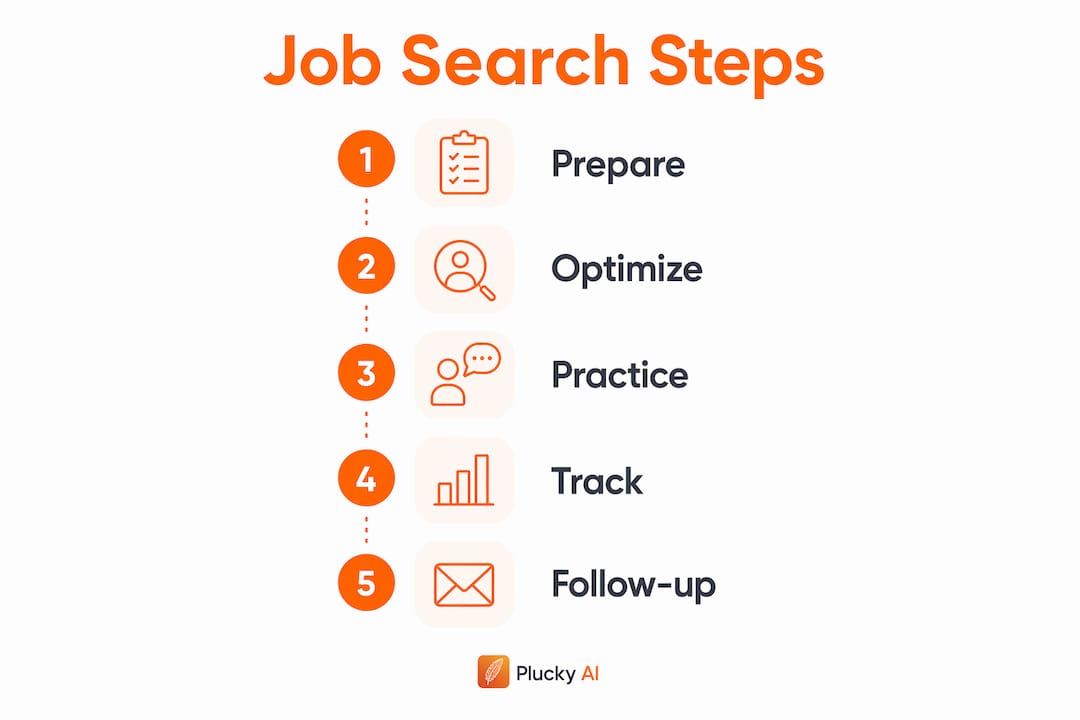
How to optimize your resume and cover letters without sounding robotic
Resume optimization with AI means using Jobscan to close the gap between your resume's language and the job description's keywords, then using ChatGPT or Claude to rewrite bullets that are flat or generic.
The target ATS match score using Jobscan is 65–85%. That range tells you the resume reads as relevant to the role without looking like it was stuffed with keywords. A score of 100% is a red flag to human reviewers. It signals that someone pasted in the job description and called it a resume.
Here is a practical workflow for building an ATS-ready, human-friendly resume:
- Paste the job description into Jobscan alongside your current resume. Note which keywords are missing and which sections score lowest.
- Open ChatGPT or Claude and ask it to rewrite your weakest three bullet points using the missing keywords. Give it your actual achievement, not a vague description of your duties.
- Edit every AI draft before it goes anywhere. Add the specific number, the real project name, the actual outcome. Raw AI-generated text is commonly rejected by recruiters who recognize generic phrasing instantly.
- Check your formatting. Use a single-column layout in .docx or a text-based PDF. Tables, columns, and graphics cause ATS software to misread or drop your content entirely.
- Run a final read-aloud test. If a sentence sounds like a press release, rewrite it. Phrases like "leveraged synergies" or "spearheaded cross-functional initiatives" raise red flags with experienced recruiters.
The same logic applies to cover letters. Use ChatGPT to draft a structure, then replace every generic claim with a specific example from your own career. Robert Half's careers editorial is direct on this point: AI-drafted documents are jumping-off points, not finished products. The editing is where the real work happens.
Pro Tip: Ask ChatGPT to critique your own cover letter draft before you send it. Prompt it to flag any sentence that sounds like AI wrote it. You will catch more generic filler in two minutes than a manual read-through catches in ten.
How does AI help with IT interview and assessment prep?
Assessments are the most common failure point for IT candidates. Most job seekers spend their preparation time on resume polish and skip the stage that actually eliminates them from consideration.
Interview Buddy is the highest-return AI tool for this stage. At roughly $20 per month, it covers multiple-choice technical questions and coding tests that mirror what companies like Amazon, Google, and mid-market IT firms actually use in screening rounds. Passing that round gets your resume in front of a human. Failing it ends the process regardless of how strong your resume looks.
For behavioral interview prep, Google Interview Warmup is free and underused. It records your spoken answers, transcribes them, and flags filler words, incomplete thoughts, and off-topic responses. ChatGPT works well alongside it. Ask ChatGPT to generate ten behavioral questions for a specific role, answer them out loud using Google Interview Warmup, then paste your transcribed answers back into ChatGPT and ask it to tighten each one.
A few specific practices that improve results:
- Time your answers. Ask ChatGPT to evaluate whether your STAR-format answer fits within 90 seconds. Long answers lose interviewers.
- Practice negotiation conversations. Use ChatGPT to role-play a salary negotiation for your target role and location. Most IT candidates leave money on the table because they have never practiced saying a number out loud.
- Simulate technical screens. Ask Claude to act as a technical interviewer for a specific stack, such as AWS security architecture or Python data pipelines, and push back on your answers the way a real interviewer would.
Pro Tip: After each mock interview session, ask ChatGPT to identify the three weakest answers and explain why. Targeted feedback on specific answers builds skill faster than repeating the same full mock interview.
How can AI improve your job search workflow and follow-ups?
The administrative side of a job search kills momentum faster than rejection does. Tracking applications, writing follow-ups, and finding the right contact at each company are all tasks where AI cuts hours from your week.
Start by building a job search tracker. Ask ChatGPT to generate a Google Sheets template with columns for company name, role, application date, contact name, follow-up date, and current status. This takes five minutes and replaces a system most candidates never build at all. A structured tracker also feeds better AI prompts because you can paste the company name and role directly into each request.
For finding hiring manager contacts, Apollo and Hunter.io both surface verified email addresses tied to specific companies and roles. Personalized follow-up emails that reference specific company details, written with AI assistance and sent to a real person, produce significantly more callbacks than applications submitted through a portal and never followed up on.
Here is a repeatable follow-up workflow:
- Find the hiring manager or team lead using Apollo. Search by company name and department.
- Research one specific company detail using Perplexity. A recent product launch, a published engineering blog post, or a new contract win all work.
- Draft the follow-up email in ChatGPT. Include the specific detail, reference your application, and ask one direct question about the team or role.
- Edit for length. The email should be under 150 words. AI drafts run long. Cut anything that does not move the reader toward a reply.
Pro Tip: Send your follow-up three to five business days after applying, not the same day. Hiring managers notice same-day follow-ups as anxious. A well-timed, specific email reads as confident and prepared.
Pairing this workflow with a long-game job search strategy keeps your pipeline active across multiple roles without losing track of where each application stands.
Key Takeaways
IT professionals who use AI tools correctly at each job search stage produce stronger applications, pass more assessments, and land interviews faster than those who apply without AI support.
| Point | Details |
|---|---|
| Build a focused tool stack | Use ChatGPT, Jobscan, Interview Buddy, and Apollo for distinct tasks rather than one tool for everything. |
| Target 65–85% ATS match scores | Scores above 85% signal keyword stuffing and reduce appeal to human reviewers. |
| Edit every AI draft | Add specific metrics, real project names, and natural phrasing before any document goes to a recruiter. |
| Prioritize assessment prep | Interview Buddy at roughly $20 per month addresses the stage that eliminates most IT candidates before human review. |
| Personalize follow-up emails | Use Apollo to find contacts and AI to draft emails that reference specific company details for higher callback rates. |
What I have learned from watching IT candidates misuse AI
The biggest mistake I see IT job seekers make is treating AI output as finished work. They paste a ChatGPT draft into an application portal, submit it, and wonder why they hear nothing back. Recruiters who review hundreds of applications per week recognize AI-generated language immediately. The tell is not the vocabulary. It is the absence of specificity. No real numbers. No named projects. No friction in the language that comes from a person who actually did the work.
The second trap is over-optimization. Chasing a perfect Jobscan score or running every bullet through five rounds of AI rewrites produces a resume that reads like a keyword list. The common IT job search mistakes that cost candidates the most are not technical. They are editorial. Candidates remove their own voice trying to sound more professional and end up sounding like no one.
My honest advice: use AI to go faster, not to replace your judgment. Write your own first draft, even a rough one. Then use ChatGPT or Claude to improve it. That order matters. When AI writes first, you spend your editing energy trying to recover your voice. When you write first, AI helps you sharpen what is already there.
Networking still closes more IT roles than any AI tool. AI handles the volume work. Your relationships handle the roles that never get posted publicly. Use both.
— Diego
How Pluckjobs puts AI to work for IT job seekers
Pluckjobs is built specifically for IT and cybersecurity professionals who want AI-assisted job searching without stitching together five separate tools. The platform combines Apollo contact intelligence with SerpAPI-powered role discovery to surface precision job matches and the hiring manager's contact details at the same time. Tailored resumes are generated within the same workflow, so you move from finding a role to applying with a targeted resume to reaching the right person, all in one place. For IT professionals who want to find roles faster without cold applying into a portal and waiting, Pluckjobs removes the manual steps that slow most searches down.
FAQ
What is the best AI tool for IT job search?
No single tool covers every stage. The most effective combination is Jobscan for resume scoring, ChatGPT or Claude for drafting and editing, and Interview Buddy for assessment practice.
How do I avoid sounding like AI wrote my resume?
Add specific numbers, real project names, and outcomes you can verify. AI-drafted documents require human editing to sound natural and pass recruiter review.
What ATS score should I target with Jobscan?
Target a match score of 65–85%. Scores above that threshold often indicate keyword stuffing, which reduces appeal to human reviewers.
How does AI help with interview prep for IT roles?
Tools like Interview Buddy simulate technical assessments and coding screens. Google Interview Warmup handles behavioral practice for free. Both address the stages where IT candidates are most commonly eliminated.
Can AI help me find hiring manager contact details?
Yes. Apollo and Hunter.io both surface verified contact information by company and department. Pair that data with an AI-drafted follow-up email referencing a specific company detail to increase your response rate.