
TL;DR:
- Managing job search data as a structured process improves hiring outcomes for IT professionals. Tracking core application fields, workflow statuses, and prioritizing referrals enhances efficiency and response rates. Using AI tools alongside manual tracking allows for focused, data-driven job search strategies.
Managing job search data is defined as the structured practice of recording, organizing, and analyzing every application touchpoint to improve hiring outcomes. IT professionals who treat their job search as a data-driven project consistently outperform those who apply without a system. The 20/60/20 application model divides effort into 20% warm referrals, 60% targeted cold applications, and 20% quick-apply volume. That ratio gives you a measurable framework for how IT professionals manage job search data with real accountability. Pluckjobs applies this same logic at the platform level, combining role discovery with hiring manager contact data so every application has a purpose.
How IT professionals manage job search data: core tracking fields
The foundation of career data organization is knowing exactly what to record for every application. Without consistent fields, your tracking system becomes a graveyard of half-remembered company names and missed follow-up dates.
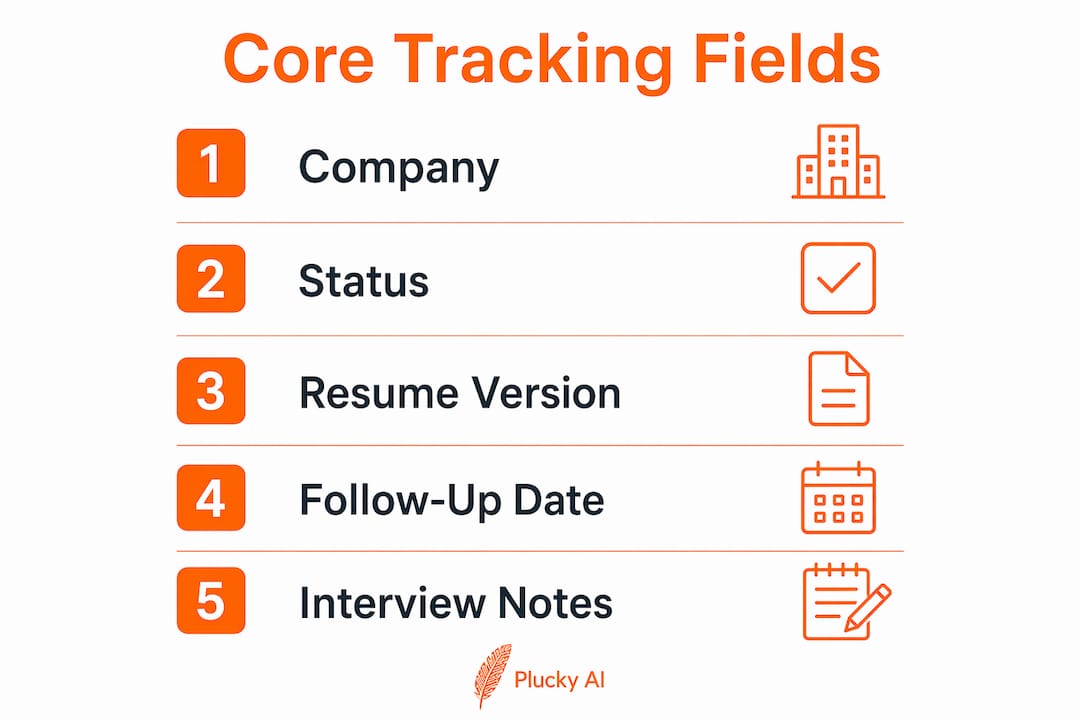
Every application record should capture these core fields:
- Company name and job title — the baseline identifiers for every entry
- Application date — critical for timing follow-ups and spotting response patterns
- Application status — use defined states: Seen, Applied, Phone Screen, Interview, Offer, Closed
- Follow-up date — a scheduled date, not a vague intention
- Resume version used — label each version (v1.2, v2.0) so you know what the recruiter saw
- Cover letter variant — track which angle you used: technical depth, leadership, or culture fit
- Source of the role — LinkedIn, referral, company careers page, or AI-powered discovery
- Hiring manager name and contact — essential for direct outreach
Persistent tracking databases reduce cognitive load and prevent missed communications and duplicate applications. That matters more than most IT professionals expect. When you are managing 20 or 30 active applications, memory alone fails.
Interview notes deserve their own structured section within each record. Log the interviewer's name, the questions asked, the stories you told, and your self-assessed score for each answer. This data feeds directly into iterative improvement, which separates professionals who get better with each interview from those who repeat the same mistakes.

53% of employers have removed traditional degree requirements, making keyword mapping in resumes critical to pass ATS filters. Tracking which resume version you submitted to which role lets you correlate ATS pass rates with specific keyword strategies. Certifications like CompTIA Security+ and AWS Solutions Architect improve your odds of clearing initial screening, and your tracking system should note which credentials you highlighted per application.
How do IT professionals organize their job search workflow for maximum efficiency?
A single-source tracking file is the most effective structure for managing job applications. Splitting data across email threads, browser bookmarks, and spreadsheet tabs creates gaps that cost you interviews.
The most effective approach borrows directly from software state management. Assign every role a status tag that reflects its current position in your pipeline:
- Seen — you have reviewed the job description and it meets your baseline criteria
- Applying — you are actively tailoring your resume and cover letter
- Submitted — the application is live and follow-up is scheduled
- Interviewing — active conversation with the company is underway
- Offer — negotiation or decision phase
- Closed — the role is filled, you withdrew, or you received a rejection
Adding a "No-Go reason" field to closed roles prevents mental fatigue. Categorizing rejected roles with a specific reason, such as "salary below target," "poor culture signals," or "role eliminated," keeps your active list focused on viable options. Without this field, zombie roles clog your workflow and distort your sense of progress.
Pro Tip: Set a weekly 30-minute review block to update statuses, archive closed roles, and schedule the next week's follow-ups. Treating this as a fixed calendar event prevents the tracking system from falling behind.
Automation of repetitive tasks protects your cognitive focus for decisions that require human judgment, such as prioritizing roles and tailoring outreach messages. Use calendar reminders for follow-up dates, email templates for initial recruiter contact, and saved search alerts for new postings. These automations do not replace your judgment. They protect it.
A well-maintained job search metrics system also reveals patterns you cannot see in real time. If your phone screen rate is high but your second-round rate is low, the data points to a specific problem in your technical interview preparation, not your resume.
What role does data-driven prioritization play in IT job search strategies?
Prioritization is where most IT professionals lose the most time. Applying to 50 roles weekly with generic materials produces far fewer interviews than submitting 5–10 tailored applications with direct hiring manager outreach.
Limiting output to 5–10 quality applications weekly significantly outperforms spray-and-pray methods. The quality difference shows up in response rates within two weeks.
Warm applications deserve the top priority slot in your tracking system. Networking generates 4–10 times higher hiring rates than cold applications. That gap is large enough to restructure how you allocate your weekly effort. Track every referral source, the name of the contact who made the introduction, and the date of the warm outreach. This data tells you which professional relationships are producing results and which networking channels are worth investing more time in.
Timing also functions as a data point. Applying within 48 hours of a job posting going live improves your visibility before recruiter inboxes fill up. Your tracking system should log the posting date alongside your application date so you can measure your average response lag and tighten it over time.
| Application type | Tracking priority | Key data to log |
|---|---|---|
| Warm referral | Highest | Referral contact, introduction date, follow-up schedule |
| Targeted cold | High | Resume version, ATS keywords used, hiring manager name |
| Quick-apply volume | Low | Role title, date submitted, status only |
For ATS keyword mapping, record which technical terms you included in each resume version and whether the application advanced past the initial screen. Over time, this data reveals which keyword combinations clear filters for specific role types, such as cloud security versus network engineering.
How can IT professionals integrate AI tools while keeping control of their data?
AI tools accelerate the research and filtering phase of job searching without replacing the human judgment required to manage a full pipeline. The key is knowing exactly where AI adds value and where it falls short.
One IT professional used AI-assisted filtering to narrow 740 listings down to 66 high-fit roles, securing 12 interviews from that focused pool. That is an 18% interview-to-application conversion rate, far above the industry average for unfiltered applications. The filtering worked because the AI applied consistent criteria, not because it replaced the professional's strategic decisions.
AI tools assist effectively with:
- Summarizing long job descriptions into key requirements
- Tailoring resume bullets to match specific role language
- Generating mock interview questions based on a job description
- Identifying keyword gaps between your resume and a target posting
AI cannot replace human judgment or provide a single comprehensive view of your job search data. A tool that tailors one resume does not know that you already applied to that company six months ago with a different angle, or that your contact there left the company last month. Your tracking system holds that context. AI does not.
Pro Tip: After using AI to tailor a resume, log the specific changes in your tracking record alongside the job description version you matched against. If the role advances, you know exactly what worked.
Pluckjobs combines AI-powered role discovery with Apollo contact intelligence, which means the filtering and outreach data feed directly into a structured view rather than scattering across separate tools. That integration is what AI job search tools built specifically for IT professionals do differently from general-purpose AI assistants.
Optimizing your resume with AI works best when you treat the output as a draft to review, not a final product. Log the version, note what changed, and track whether that version performs better in ATS screening. That feedback loop is the difference between using AI as a shortcut and using it as a tool for measurable improvement.
Key Takeaways
IT professionals who treat their job search as a structured, data-driven project with defined states, prioritized application types, and iterative feedback loops consistently achieve higher interview conversion rates than those who apply without a system.
| Point | Details |
|---|---|
| Track core fields consistently | Log company, status, resume version, and follow-up date for every application. |
| Use status tags for workflow clarity | Assign defined states (Seen, Applying, Interviewing, Closed) to every role in your pipeline. |
| Prioritize warm referrals | Networking produces 4–10 times higher hiring rates than cold applications. |
| Limit weekly volume to quality | Submit 5–10 tailored applications weekly rather than mass-applying with generic materials. |
| Combine AI with manual tracking | Use AI to filter and tailor, then log every output in your tracking system for feedback loops. |
Treat your job search like a product you are shipping
The most useful reframe I have seen IT professionals apply to their job search is the product mindset. Your resume is not a static document. It is version 2.3, updated after three interviews revealed that your infrastructure narrative was landing flat with cloud-focused hiring managers.
Tracking interview scores and story deployment, as described in versioned job search systems, reveals something most professionals never notice: scoring drift. You tell the same story about a past project so many times that you stop refining it. The data shows your score on that story dropping across interviews, but without a log, you never see the pattern.
The uncomfortable truth is that most IT professionals apply data rigor to their work projects and almost none to their job search. They track sprint velocity but not application response rates. They do version control for code but submit the same resume to 40 different roles. The professionals who close offers fastest are the ones who hold their job search to the same standard they hold their technical work.
Avoiding common IT job search mistakes starts with measurement. If you are not tracking it, you cannot improve it. Build the system first, then let the data tell you where to focus.
— Diego
Pluckjobs brings data-driven job search to IT professionals
Pluckjobs is built specifically for IT and cybersecurity professionals who want precision over volume. The platform combines SerpAPI-powered role discovery with Apollo contact intelligence, so you find the right role and the right person to contact in one place.
Tailored resumes, hiring manager outreach data, and AI-powered job matching all feed into a single workflow. That means less time managing scattered spreadsheets and more time on applications that actually convert. IT professionals who want a structured, data-backed approach to their search can start with Pluckjobs AI and put the system to work immediately.
FAQ
What data should IT professionals track for every job application?
Track company name, job title, application date, status, follow-up date, resume version, and the source of the role. Adding a hiring manager name and contact field significantly improves your outreach targeting.
How many applications should an IT professional submit per week?
Submitting 5–10 tailored applications weekly outperforms high-volume spray-and-pray methods. Quality targeting with specific resume versions produces higher response rates than generic mass applications.
How does the 20/60/20 model work for IT job searching?
The 20/60/20 model allocates 20% of effort to warm referral applications, 60% to targeted cold applications, and 20% to quick-apply volume roles. This distribution balances high-conversion networking with consistent pipeline volume.
Can AI tools replace a manual job search tracking system?
AI tools accelerate filtering and resume tailoring but cannot replace a human-managed tracking system. No single AI tool maintains the full context of your pipeline, past applications, and iterative narrative changes.
What is a "No-Go reason" field and why does it matter?
A No-Go reason field logs why you closed or rejected a specific role, such as salary mismatch or poor culture signals. It prevents low-priority roles from cluttering your active pipeline and keeps your focus on viable opportunities.